

Importance of Lead Scoring in Marketing Automation
In today’s competitive market, businesses generate large volumes of leads, but not all leads are ready to convert. This is where lead scoring plays a crucial role. Lead scoring is a systematic approach that assigns numerical values to leads based on their interactions, behavior, and demographic details. It helps marketing and sales teams prioritize high-quality leads, ensuring better resource allocation and higher conversion rates. By implementing lead scoring, businesses can:
-
Identify sales-ready leads and focus on prospects most likely to convert.
-
Improve marketing efficiency by segmenting and personalizing outreach efforts.
-
Align sales and marketing teams to enhance lead nurturing and customer acquisition.
How Zoho Marketing Automation Helps Streamline Lead Qualification?
Zoho Marketing Automation provides a comprehensive lead scoring system that simplifies the process of qualifying and segmenting leads. It allows businesses to:
-
Assign scores based on behavioral and demographic data (e.g., email opens, website visits, form submissions, job titles).
-
Automate lead qualification by setting predefined thresholds for MQLs (Marketing Qualified Leads) and SQLs (Sales Qualified Leads).
-
Integrate seamlessly with Zoho CRM to pass high-scoring leads directly to sales teams for follow-up.
-
Continuously optimize lead scoring rules based on real-time engagement and analytics.
By leveraging Zoho’s lead scoring capabilities, businesses can ensure that their sales teams focus on the most promising leads while automating engagement for less-qualified prospects.
Overview of What the Blog Will Cover
This blog will provide a step-by-step guide on how to set up lead scoring in Zoho Marketing Automation, including:
-
Understanding lead scoring and its benefits
-
Navigating Zoho Marketing Automation’s lead scoring module
-
Defining and assigning lead scoring criteria
-
Automating lead qualification and CRM integration
-
Optimizing and refining lead scoring for better results
By the end of this guide, you’ll have a clear roadmap for implementing an effective lead scoring strategy using Zoho Marketing Automation.
Understanding Lead Scoring in Zoho Marketing Automation
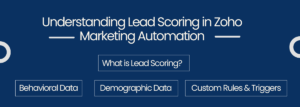
What is Lead Scoring?
Lead scoring is a method used to rank and prioritize leads based on their engagement level, demographic fit, and potential to convert. It assigns numerical values (or scores) to leads based on specific actions they take—such as opening emails, visiting a website, or filling out a form. Higher scores indicate a stronger interest and readiness to move through the sales funnel.
In Zoho Marketing Automation, lead scoring can be customized using:
-
Behavioral Data –
Website visits, email interactions, social media engagement
-
Demographic Data –
Industry, job title, location, company size
-
Custom Rules & Triggers –
Assigning points based on specific actions and engagement thresholds
By implementing lead scoring, businesses can effectively segment leads and focus on the ones most likely to convert into customers.
Benefits of Implementing Lead Scoring

Implementing a structured lead scoring model in Zoho Marketing Automation offers multiple advantages:
-
Improved Lead Prioritization –
Helps teams focus on high-intent prospects while avoiding unqualified leads.
-
Higher Conversion Rates –
Engaging with the right leads at the right time increases the chances of closing deals.
-
Better Sales & Marketing Efficiency –
Saves time by automating the qualification process and reducing manual effort.
-
Personalized Lead Nurturing –
Enables targeted campaigns based on lead scores to nurture prospects effectively.
-
Optimized Resource Allocation –
Ensures that sales efforts are directed toward leads with the highest potential ROI.
How Lead Scoring Improves Sales and Marketing Alignment
One of the biggest challenges in many organizations is the disconnect between sales and marketing teams. Without a clear qualification system, sales teams may receive unqualified leads, resulting in wasted efforts and low conversion rates.
Lead scoring in Zoho Marketing Automation bridges this gap by:
-
Defining clear MQL (Marketing Qualified Lead) and SQL (Sales Qualified Lead) criteria, ensuring sales teams receive only sales-ready leads.
-
Automating lead handoff to Zoho CRM, enabling smooth lead tracking and follow-ups.
-
Providing real-time insights on lead engagement, helping marketing teams refine their campaigns for better targeting.
-
Reducing friction between teams by ensuring that sales focuses only on high-scoring leads while marketing nurtures lower-scoring leads until they’re ready.
-
By leveraging lead scoring in Zoho Marketing Automation, businesses can create a data-driven lead management process that enhances efficiency, boosts conversions, and strengthens collaboration between marketing and sales teams.
Accessing Lead Scoring in Zoho Marketing Automation
Zoho Marketing Automation provides a user-friendly interface for setting up and managing lead scoring based on predefined rules. To start utilizing this feature, you need to access the Lead Scoring module and understand the available options for configuring scores effectively.
Navigating to the Lead Scoring Module
To access the lead scoring module in Zoho Marketing Automation, follow these steps:
-
Log in to Zoho Marketing Automation using your credentials.
-
Go to the “Leads” section in the left-hand navigation panel.
-
Click on “Lead Scoring” to open the module.
-
You will see an interface where you can define scoring rules, set conditions, and automate lead qualification based on engagement and demographic attributes.
This module allows you to customize scoring criteria based on business needs and marketing strategies, ensuring a structured and data-driven approach to lead qualification.
Understanding the Interface and Available Options

Once inside the Lead Scoring module, you will encounter several sections designed to help you set up and refine your scoring system:
-
Scoring Rules Panel
-
-
Enables you to define behavioral and demographic scoring rules.
-
You can assign positive or negative points based on lead interactions (e.g., form submissions, email opens, website visits).
-
-
Behavior-Based Scoring
-
-
Assign scores to leads based on engagement activities such as:
-
-
-
-
Opening or clicking on emails
-
Visiting key website pages
-
Downloading resources (eBooks, whitepapers, etc.)
-
Registering for webinars or events
-
-
-
Demographic-Based Scoring
-
-
Helps segment leads based on attributes such as:
-
-
-
-
Industry, job title, company size
-
Location, business revenue, or other custom fields
-
-
-
-
Ensures your sales team targets leads that align with your ideal customer profile.
-
-
Threshold Settings
-
-
Define score ranges to categorize leads into Cold, Warm, and Hot Leads.
-
Helps automate lead movement through the sales funnel, ensuring high-scoring leads get passed to sales while low-scoring leads are nurtured.
-
-
CRM Integration
-
-
Connects with Zoho CRM to automatically sync lead scores and trigger sales actions when a lead reaches a certain threshold.
-
Helps sales teams focus on leads that show genuine interest.
-
-
Reports & Analytics
-
-
Provides insights into lead score performance and engagement trends.
-
Allows marketers to optimize scoring criteria based on real-time data.
-
By understanding and utilizing these features, businesses can efficiently score, segment, and nurture leads, ensuring that marketing and sales teams work in sync to maximize conversions.
Defining Lead Scoring Rules in Zoho Marketing Automation
Lead scoring is most effective when businesses set up clear criteria based on how leads engage with content and how well they match an ideal customer profile. In Zoho Marketing Automation, lead scoring rules are defined by assigning points based on behavioral and demographic factors. This helps prioritize leads and determine which ones are sales-ready.
Setting Up Criteria for Behavioral Scoring

Behavioral scoring tracks how leads interact with your marketing efforts. Higher engagement indicates a stronger interest in your products or services. Here’s how you can assign points based on specific behaviors:
-
Email Engagement-
-
-
Email Opened → +5 points
-
Clicked a Link in Email → +10 points
-
Unsubscribed from Email List → -10 points
-
-
Website Activity-
-
-
Visited Pricing Page → +15 points
-
Viewed Blog or Resources Page → +5 points
-
Visited Homepage → +2 points
-
-
Form Submissions-
-
-
Contact Form Submitted → +20 points
-
Downloaded an eBook or Whitepaper → +25 points
-
Registered for a Webinar or Event → +30 points
-
-
Social Media Engagement-
-
-
Clicked on Social Media Ad → +10 points
-
Shared a Post or Commented → +5 points
-
These rules help marketers identify leads that are actively engaging with content and are more likely to convert.
Assigning Points Based on Engagement Levels
The key to effective lead scoring is assigning appropriate point values. Consider these best practices:
-
Higher points for high-intent actions (e.g., signing up for a demo or requesting a quote should have higher scores than opening an email).
-
Negative scoring for disengagement (e.g., unsubscribing, marking emails as spam, or showing inactivity for extended periods).
-
Time decay scoring (e.g., reducing scores for old interactions to prioritize recent activity).
For example, a lead who has:
-
Opened three emails (+15 points),
-
Clicked a pricing page (+15 points),
-
Downloaded an eBook (+25 points),
-
Would have a total lead score of 55 points, making them a strong candidate for follow-up.
Configuring Demographic Scoring
Demographic scoring helps filter leads based on how well they fit the ideal customer profile (ICP). Instead of engagement, these scores are assigned based on attributes like:
-
Job Title-
-
-
Decision Maker (CEO, Director, VP) → +20 points
-
Mid-Level Manager → +10 points
-
Entry-Level Employee → +5 points
-
-
Industry-
-
-
Target Industry (e.g., SaaS, Healthcare, Finance) → +15 points
-
Non-Relevant Industry → -10 points
-
-
Company Size-
-
-
Enterprise (500+ employees) → +25 points
-
Mid-Market (100-500 employees) → +15 points
-
Small Business (<100 employees) → +5 points
-
-
Location-
-
-
Primary Market (e.g., US, UK, Canada) → +20 points
-
Secondary Market (Other regions) → +10 points
-
By combining behavioral and demographic lead scoring, businesses can ensure that the most engaged and qualified leads get prioritized for sales follow-ups, while lower-scoring leads can be nurtured through email campaigns until they are ready to convert.
Using Zoho Marketing Automation’s lead scoring rules, businesses can efficiently filter and rank leads, ensuring that only the most promising prospects receive sales attention.
Automating Lead Qualification in Zoho Marketing Automation
Once you have defined lead scoring rules, the next step is to automate lead qualification to ensure that high-value leads move through the sales funnel efficiently. Zoho Marketing Automation allows businesses to set clear thresholds, trigger automated workflows, and seamlessly integrate with Zoho CRM for a smooth sales handoff.
Setting Thresholds for MQLs and SQLs
Lead qualification relies on setting score thresholds that distinguish between
-
Marketing Qualified Leads (MQLs) –
Leads that have shown strong engagement but may not be ready for direct sales contact yet.
-
-
Example: A lead with a score between 30-60 (has opened emails, visited pricing pages, but hasn’t requested a demo).
-
Action: MQLs are nurtured further with targeted emails, case studies, or product demos to push them toward conversion.
-
-
Sales Qualified Leads (SQLs) –
Leads that meet both behavioral engagement and demographic fit criteria, indicating strong buying intent.
-
-
Example: A lead with a score above 60 (downloaded an eBook, attended a webinar, and requested a demo).
-
Action: SQLs are automatically assigned to the sales team in Zoho CRM for direct follow-up.
-
By setting score-based thresholds, businesses can ensure that only the most promising leads get passed on to sales, reducing wasted efforts on unqualified prospects.
Automating Workflows Based on Lead Score Triggers

Zoho Marketing Automation allows you to create automated workflows that take specific actions when a lead reaches a certain score. Some common automations include
-
Lead Nurturing for MQLs
-
-
If a lead scores between 30-60, trigger an automated email sequence with additional content (case studies, testimonials, free trials).
-
If engagement continues, increase their score and push them toward sales readiness.
-
-
Sales Notification for SQLs
-
-
If a lead scores above 60, automatically
-
-
-
-
Send an alert to the sales team in Zoho CRM.
-
Assign the lead to a specific salesperson based on territory or industry.
-
Move the lead into a hot prospects list for immediate outreach.
-
-
-
Lead Re-Engagement for Cold Leads
-
-
If a lead remains inactive for 30+ days, reduce their score and trigger a re-engagement campaign (e.g., send a personalized email with a discount or special offer).
-
-
Lead Routing Based on Score & Criteria
-
-
Automatically segment leads based on score and assign them to the right sales reps, teams, or nurturing campaigns.
-
These automated workflows eliminate manual effort, ensuring that leads move through the funnel efficiently without sales and marketing teams needing to track every interaction manually.
Integrating Lead Scoring with Zoho CRM for Seamless Sales Handoff
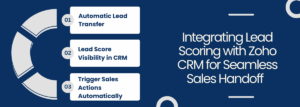
A well-structured lead scoring system should integrate smoothly with Zoho CRM to provide the sales team with real-time access to high-value leads. Key integration steps include
-
Automatic Lead Transfer
-
-
When a lead reaches an SQL score threshold, it is instantly pushed to Zoho CRM as a sales opportunity.
-
Assigns the lead to the appropriate sales representative.
-
-
Lead Score Visibility in CRM
-
-
Sales reps can see a lead’s score, recent activity, and engagement history inside Zoho CRM.
-
Helps prioritize high-intent leads and personalize outreach efforts.
-
-
Trigger Sales Actions Automatically
-
-
Set up CRM workflows to notify sales reps when a new SQL is assigned.
-
Automatically move leads to different CRM stages based on their score and engagement level.
-
By integrating lead scoring with Zoho CRM, businesses can ensure that the sales team works with highly qualified leads, leading to better conversions and improved sales efficiency.
Optimizing and Monitoring Lead Scoring in Zoho Marketing Automation
Setting up lead scoring is just the first step; to ensure its effectiveness, businesses must continuously monitor performance, refine scoring criteria, and optimize the model based on real-time data. Regular adjustments help improve lead qualification accuracy and maximize conversions.
Tracking Lead Score Performance Using Reports and Analytics

Zoho Marketing Automation provides detailed analytics and reporting tools to help businesses track how well their lead scoring model is performing. Key areas to monitor include
-
Lead Conversion Rates –
Analyze how many high-scoring leads convert into sales. If conversion rates are low despite high lead scores, adjustments may be needed.
-
Lead Engagement Trends –
Track the behaviors of top-scoring leads, such as email opens, website visits, and demo requests, to ensure the right actions are being rewarded.
-
Sales Follow-Up Effectiveness –
Monitor how quickly the sales team follows up on SQLs and whether those leads turn into customers.
-
Lead Score Distribution –
Evaluate whether most leads fall into the right scoring categories (cold, warm, hot) to ensure the scoring system is balanced.
By leveraging reports and analytics, businesses can determine whether their lead scoring model is working or if adjustments are required.
Adjusting Scoring Criteria Based on Campaign Performance
Lead behavior and engagement patterns may change over time, so it’s essential to fine-tune scoring criteria based on campaign performance. Adjustments may include:
-
Revising Point Allocation –
If certain actions (e.g., email opens) are not strong indicators of interest, their assigned score can be reduced, while high-intent actions (e.g., demo requests) can be given more weight.
-
Introducing Negative Scoring –
Deduct points for inactivity, bounced emails, or frequent unsubscribes to prevent outdated or unqualified leads from being prioritized.
-
Updating Demographic Criteria –
If a particular industry or company size converts at a higher rate, its score can be increased to better reflect lead quality.
-
Re-evaluating Lead Score Thresholds –
If too many leads reach SQL status but fail to convert, the threshold may need to be raised. Conversely, if promising leads are being ignored, lowering the score requirement may help.
Making data-driven adjustments ensures that only the most relevant and engaged leads are passed to the sales team.
Best Practices for Refining Lead Scoring Models

To maintain an accurate and effective lead scoring system, businesses should follow these best practices
-
Regularly Review and Update Scores –
At least once a quarter, assess the effectiveness of scoring rules and refine them based on sales and marketing feedback.
-
Align with Sales Team Insights –
Collaborate with sales teams to determine whether the leads they receive are genuinely qualified and adjust scoring accordingly.
-
A/B Test Scoring Changes –
Experiment with different scoring rules on a small segment of leads before applying changes across all campaigns.
-
Segment Leads for Better Insights –
Group leads into categories (e.g., engaged but not converting, low-scoring but high-value demographics) to identify scoring gaps.
-
Leverage AI and Predictive Analytics –
Use Zoho’s AI-powered tools to analyze patterns and optimize lead scoring for better accuracy.
By consistently optimizing and monitoring lead scoring, businesses can improve lead qualification, boost conversion rates, and create a more efficient sales and marketing process.
Conclusion
Implementing lead scoring in Zoho Marketing Automation helps prioritize high-quality leads, streamline sales efforts, and improve conversion rates. By defining clear behavioral and demographic scoring rules, setting MQL and SQL thresholds, and automating lead qualification, businesses can ensure that their sales teams focus on the most promising prospects. However, lead scoring is not a one-time setup—it requires continuous monitoring and optimization to stay effective. Regularly reviewing performance, adjusting scoring criteria based on engagement trends, and aligning with sales insights will help refine the model for better accuracy.
Now is the time to take action. Start implementing lead scoring in Zoho Marketing Automation today and transform your lead management strategy into a data-driven, conversion-focused process.
Key Takeaways
-
Lead scoring helps identify and prioritize high-value leads, improving sales efficiency.
-
Behavioral and demographic scoring criteria must be carefully defined to align with business goals.
-
Automating lead qualification with MQL and SQL thresholds ensures a seamless handoff to sales.
-
Regular monitoring and optimization are crucial to maintaining an effective scoring model.
-
Integration with Zoho CRM enhances lead tracking and improves sales follow-up processes.
