

Zoho Marketing Automation (ZMA) is a comprehensive tool designed to automate various aspects of your marketing campaigns, streamline customer interactions, and enhance lead generation and conversion. It enables businesses to manage their marketing workflows more effectively by automating tasks such as email campaigns, lead nurturing, social media posts, and customer segmentation. ZMA helps businesses save time and resources while delivering personalized marketing experiences at scale.
Brief Introduction to Zoho Marketing Automation (ZMA)
Zoho Marketing Automation is a cloud-based platform that empowers businesses to create, execute, and monitor marketing campaigns across multiple channels like email, social media, websites, and more. With an intuitive interface and powerful automation features, ZMA helps marketers optimize their efforts, improve customer engagement, and drive conversions.
Key features of Zoho Marketing Automation include-
-
Email Campaigns-
Create, send, and track email campaigns with personalized content.
-
Lead Management-
Capture, nurture, and convert leads using automated workflows
-
Segmentation-
Group customers based on behavior and demographics to deliver more relevant campaigns.
-
Analytics-
Monitor and analyze the performance of campaigns with real-time data.
Importance of Automation in Marketing Campaigns
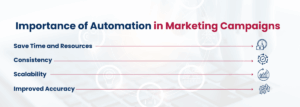
Automation in marketing campaigns is crucial because it enables businesses to handle large-scale operations with precision and efficiency. It helps marketers:
-
Save Time and Resources
Automating repetitive tasks like sending emails, scheduling social media posts, and segmenting leads frees up time for strategic planning and creative tasks.
-
Consistency-
Automation ensures that marketing messages are delivered consistently across multiple channels, which is essential for brand recognition and trust.
-
Scalability-
As businesses grow, it becomes increasingly difficult to manage individual customer interactions. Automation scales marketing efforts by managing large volumes of customer data and interactions.
-
Improved Accuracy-
With automation, there’s less risk of human error, and marketers can ensure that messages are timely and targeted accurately.
Why Creating a Complex Journey Matters
A complex customer journey refers to a more sophisticated and personalized pathway that a customer takes from their first interaction with a brand to the final purchase (and beyond). It involves multiple touchpoints and stages of engagement, tailored to the individual’s behavior, preferences, and interactions with the brand.
Creating a complex journey is important because it helps businesses deliver a seamless, personalized experience for each customer. Here’s why:
-
Multiple Touchpoints-
Customers today interact with brands across various platforms (website, social media, email, etc.). A complex journey ensures that customers receive a cohesive experience at each touchpoint.
-
Dynamic Content-
With a complex journey, businesses can adapt their content based on where a customer is in the buying process, making interactions more relevant.
-
Increased Engagement-
By delivering personalized content at the right time, businesses can keep customers engaged and reduce churn.
The Significance of Personalized Customer Journeys
Personalized customer journeys are crucial because they cater to the specific needs, interests, and behaviors of individual customers. Instead of a one-size-fits-all approach, personalization ensures that the right message is delivered to the right person at the right time. Here’s why it matters:
-
Enhanced Customer Experience-
Personalization helps create a more enjoyable and relevant experience for customers, making them more likely to engage with your brand.
-
Improved Loyalty-
When customers feel understood and valued, they are more likely to become repeat buyers and loyal advocates for your brand.
-
Higher Conversion Rates-
Personalized journeys guide customers through the buying process more effectively, which can result in higher conversion rates.
How Complex Journeys Can Drive Engagement and Conversions
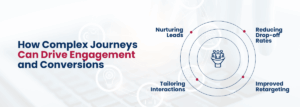
Complex customer journeys, when executed effectively, can significantly impact both engagement and conversions by:
-
Nurturing Leads-
Through a series of well-designed touchpoints, a complex journey nurtures leads from initial awareness to decision-making, improving the likelihood of conversion.
-
Tailoring Interactions-
By tracking customer behavior (e.g., page visits, email opens, past purchases), businesses can deliver highly relevant content, increasing the chances of engagement.
-
Reducing Drop-off Rates-
By addressing customer concerns, answering questions, and guiding them step by step, complex journeys reduce the likelihood of potential customers abandoning the process.
-
Improved Retargeting-
Complex journeys allow businesses to retarget customers who have interacted with them before but haven’t yet converted, using specific messaging designed to encourage conversion.
Sure! Here’s an explanation of the key aspects of Zoho Marketing Automation (ZMA) that you asked about:
Understanding the Basics of Zoho Marketing Automation
Zoho Marketing Automation (ZMA) is a tool that automates various aspects of digital marketing. It helps businesses to efficiently manage and streamline their marketing campaigns, nurture leads, and track customer interactions across multiple channels, all in one place. Whether it’s through email marketing, social media management, or tracking customer behaviors on websites, ZMA helps marketers optimize their efforts for better results.
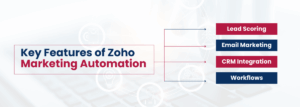
Key Features of Zoho Marketing Automation
-
Lead Scoring-
Lead scoring is a feature that allows businesses to prioritize leads based on their engagement and behavior. This means that leads who show more interest, like opening emails or visiting specific pages on your website, will receive higher scores. It helps you focus on the most promising prospects and tailor your follow-up strategies accordingly.
-
Email Marketing-
Zoho provides powerful tools for creating, sending, and automating email campaigns. You can personalize emails based on customer data, create targeted campaigns, and schedule them at optimal times to ensure maximum engagement.
-
CRM Integration-
Zoho Marketing Automation integrates seamlessly with Zoho CRM. This means all your customer data (such as leads, contacts, deals, etc.) are synced between the marketing and sales teams. It ensures that both teams are on the same page, making the lead nurturing and conversion process smoother.
-
Workflows-
Zoho allows you to create automated workflows that can trigger specific actions based on user behavior. For example, if a customer clicks on an email link, you can set up an automated workflow to follow up with a reminder email or offer them a discount.
How Zoho’s Automation Tools Work
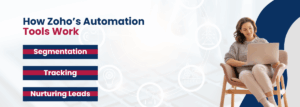
Zoho Marketing Automation works by automating repetitive tasks and processes, freeing up marketers’ time while delivering personalized, relevant content to customers.
-
Segmentation-
Zoho enables businesses to segment their audience based on various criteria such as demographics, interests, purchase history, or engagement levels. This segmentation ensures that each group of customers receives content and offers that are most relevant to them, which improves the chances of conversions.
-
Tracking-
Zoho tracks customer behaviors across various touchpoints (emails, website visits, social media interactions, etc.). This data helps you understand what your leads are interested in, which stage of the sales funnel they’re in, and how likely they are to convert.
-
Nurturing Leads-
Once you have gathered information on your leads, Zoho helps you nurture them by sending timely and personalized content. For example, you can send targeted emails, follow-up reminders, or special offers based on their actions or preferences. This keeps potential customers engaged and guides them toward making a purchase decision.
Benefits of Using Zoho for Automation
-
Increased Efficiency-
Automation allows businesses to run marketing campaigns and customer engagement processes without manually handling every task. It reduces human error, saves time, and lets you handle larger volumes of marketing activities with fewer resources.
-
Personalized Experiences-
With the data that Zoho collects on customer behavior, businesses can personalize their marketing strategies. For example, you can send personalized emails or recommend products based on previous interactions. Personalized experiences help build stronger customer relationships and drive higher conversion rates.
-
Better Lead Management-
Zoho makes lead management easy by tracking and categorizing leads, scoring them based on their behavior, and automating follow-up actions. This ensures that the right leads are nurtured at the right time, which improves lead conversion rates.
Zoho Marketing Automation streamlines various marketing tasks, integrates well with CRM systems, and helps businesses automate their processes, segment audiences, track customer actions, and nurture leads more effectively. By using Zoho, businesses can enjoy increased efficiency, more personalized customer interactions, and better management of leads, all of which ultimately drive growth and improve marketing ROI.
What is a Customer Journey Map?
A Customer Journey Map is a visual representation of the steps and interactions that a customer goes through when engaging with your brand. It outlines the entire experience from the moment a customer becomes aware of your brand to when they make a purchase (and even beyond, such as repeat purchases or brand loyalty). The map highlights every touchpoint—such as browsing your website, receiving an email, or interacting on social media—that the customer encounters throughout their journey.
Purpose of Customer Journey Mapping-
-
Understand Customer Experience-
A journey map helps you understand the customer’s perspective, emotions, and actions at every stage.
-
Identify Pain Points-
It helps you identify where customers may face challenges or drop off in their journey.
-
Improve Communication-
The map allows marketers and sales teams to align their communication efforts, ensuring that the message is consistent and relevant at each stage.
How Zoho Helps in Mapping Customer Journeys
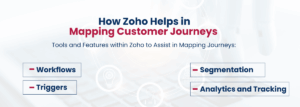
Zoho Marketing Automation provides several tools and features that help businesses create and manage customer journey maps. These tools automate and track various customer interactions to ensure the journey is smooth and effective.
Tools and Features within Zoho to Assist in Mapping Journeys:
-
Workflows-
Zoho allows you to create automated workflows that are triggered based on specific customer actions or behaviors (e.g., downloading an eBook, clicking a link in an email, or visiting a product page). Workflows help guide customers through their journey by automating next steps, such as sending a follow-up email or moving them to the next stage in the funnel.
-
Triggers-
Triggers are specific actions or behaviors that set off automated responses. For instance, if a customer opens an email or spends a certain amount of time on your website, Zoho can trigger an action such as sending a personalized offer, reminding them of abandoned items in their cart, or prompting them to take another desired action.
-
Segmentation-
With Zoho’s segmentation features, you can create targeted groups of customers based on their actions, behaviors, and preferences. This segmentation helps map out personalized customer journeys, ensuring that each group receives the right message at the right time.
-
Analytics and Tracking-
Zoho also tracks user behavior across various touchpoints, helping marketers understand where customers are in their journey. For example, Zoho can track when a lead visits your website, opens an email, or engages with a social post. This data helps refine and optimize the journey.
Benefits of a Well-Defined Journey Map
-
Aligning Marketing Efforts with Customer Behaviors-
By mapping the customer journey, you align your marketing activities with the actual behaviors and needs of your customers. Instead of sending generic, one-size-fits-all messages, you can tailor your approach based on where the customer is in their journey (e.g., awareness, consideration, decision, etc.). This makes your marketing efforts more relevant and impactful.
-
Better-Targeted Campaigns-
A well-defined journey map allows for more targeted campaigns. For instance, if you know a customer is in the “consideration” stage, you can offer them more detailed product information, case studies, or a demo. If they’re in the “decision” stage, you might send them discount codes, product comparisons, or testimonials to encourage conversion. This level of targeting increases the likelihood of a successful engagement or conversion.
-
Improved Customer Experience-
Understanding the customer journey enables businesses to anticipate and address customer needs at every stage. A seamless, well-planned journey keeps customers engaged, reduces frustration, and enhances their overall experience with your brand.
-
Higher Conversion Rates-
Mapping out the journey ensures customers receive timely, relevant messages that nudge them closer to a purchase decision. By offering the right content at the right time, you reduce friction and increase the chances of conversion, as customers feel understood and supported throughout their journey.
-
Optimized Marketing Strategy-
By analyzing the customer journey, businesses can spot areas of improvement, identify which touchpoints are most effective, and make data-driven adjustments to their marketing strategy.
Sure! Here’s a detailed explanation of how to create a complex customer journey in Zoho Marketing Automation, step-by-step:

Step 1- Define Your Objectives and KPIs
Before starting any campaign or creating a customer journey, it’s essential to clearly define what you want to achieve and how you’ll measure success.
Identifying the Goal of Your Campaign-
You need to determine the core objective of your marketing campaign. Some common goals include:
-
Lead Generation-
If your goal is to capture leads and expand your contact list, your customer journey might focus on guiding prospects through a series of informative or engaging touchpoints.
-
Brand Awareness-
If your goal is to introduce your brand to a new audience, the journey could focus on educational content and initial engagements, such as blog posts, videos, and social media outreach.
-
Sales Conversion-
If the goal is to drive sales or close deals, your journey will focus on nurturing leads towards making a purchase decision, with targeted offers, product demos, or personalized promotions.
Setting Measurable KPIs:
Once your goal is clear, you’ll need to define KPIs (Key Performance Indicators) to track progress. These could include:
-
Click-Through Rate (CTR) for email or social media campaigns.
-
Conversion Rate for turning leads into customers.
-
Engagement Rate to measure how well your audience interacts with your content (opens, clicks, shares).
-
Lead Qualification Metrics (e.g., how many leads are scored as “sales-ready”).
Step 2- Segment Your Audience
Audience segmentation involves dividing your customer base into distinct groups based on shared characteristics, behaviors, or interests. Zoho Marketing Automation helps with segmentation through customer data and behavior tracking.
Using Zoho’s Segmentation Features-
-
Behavioral Segmentation-
Group customers based on their interactions with your brand (e.g., email opens, web page visits, product interests).
-
Demographic Segmentation-
Group by demographic factors like age, location, gender, or job role.
-
Engagement Level-
Create segments based on how engaged customers are, such as active leads, dormant leads, or high-potential buyers.
By segmenting your audience, you can ensure that each group receives tailored content and messaging that speaks directly to their needs and behaviors.
Step 3- Design Multiple Touchpoints
A touchpoint is any interaction a customer has with your brand. A complex customer journey includes multiple touchpoints across various channels. These can include email, SMS, website visits, social media interactions, and more.
Building a Sequence of Emails, SMS, or Other Communication Channels:
-
Emails-
Send personalized email sequences based on customer actions (e.g., welcome email, follow-up email, product recommendations).
-
SMS Messages-
For more direct communication, set up SMS alerts for things like order confirmations, reminders, or time-sensitive offers.
-
Social Media-
Use social media as a touchpoint to share content, answer questions, or run ads targeted at specific segments.
Designing multiple touchpoints ensures that customers stay engaged with your brand at various stages of their journey.
Step 4- Create Workflows and Automate Triggers
Workflows are the backbone of any automated customer journey. They define the actions that will occur based on specific triggers (i.e., customer behavior or engagement).
Setting Up Workflows for Lead Nurturing, Drip Campaigns, and Automation:
-
Lead Nurturing-
Create workflows that guide leads through a journey of engagement, from initial awareness to decision-making.
-
Drip Campaigns-
Automate a series of emails or messages to nurture leads over time (e.g., send a new educational email every few days).
-
Automation Based on Actions-
Set up triggers (e.g., an email open, website visit, or form submission) that activate specific actions like sending a follow-up email or tagging the lead for further follow-up.
Workflows ensure that each lead gets the right message at the right time based on their actions.
Step 5- Use Lead Scoring and Behavioral Tracking
Lead scoring is a method used to assign a numerical value (score) to each lead based on their actions and behaviors, helping prioritize leads who are more likely to convert.
Implementing Lead Scoring to Qualify Prospects:
-
Assign Points for Actions-
For example, a lead who opens an email may get 10 points, while a lead who downloads a white paper may get 20 points.
-
Define Lead Stages-
Use these scores to categorize leads as “Cold,” “Warm,” or “Hot.” This helps you focus on high-priority leads.
Trigger Actions Based on Behavior-
Behavioral tracking helps you monitor customer activities and set up triggers for the next steps in the journey. For example:
-
If a lead scores above a certain threshold (indicating they are ready), trigger an email with a special offer or a call to action.
-
If a lead hasn’t interacted in a while, trigger a re-engagement email to rekindle their interest.
Step 6- Test, Measure, and Optimize
Once your journey is set up, you need to test different elements and measure the results to ensure optimal performance.
A/B Testing Elements of Your Journey-
-
Test different email subject lines, call-to-action buttons, or message formats to see which one drives the best results.
-
Test timing as well, like sending emails at different times or days to determine when your audience is most responsive.
Analyzing Data and Optimizing for Better Results-
-
Use analytics to track how well your journey is performing in terms of engagement, conversion rates, and KPIs.
-
Identify areas of improvement (e.g., if too many leads are dropping off after the first email, refine the message or improve the design).
-
Optimize your workflow, messaging, and segmentation based on the insights you gather to make your journey more effective.
Creating a complex customer journey in Zoho involves a structured approach to understanding your goals, segmenting your audience, and automating workflows that guide leads from awareness to conversion. By using tools like lead scoring, triggers, and workflows, you can deliver personalized, timely interactions with your customers. Testing, measuring, and optimizing your campaigns continuously will ensure they remain effective and drive better results.
Example 1: Lead Nurturing Campaign
How a Business Used Zoho to Guide Leads from Awareness to Conversion:
A business can use Zoho Marketing Automation to create a lead nurturing journey that takes leads from the awareness stage to the point of conversion. Let’s break down how this might look:
-
Awareness Stage-
At the very beginning, the business might create a lead magnet (such as an eBook or free trial) to attract potential customers. Zoho can help capture leads through forms or landing pages. Once a lead signs up, the business can automatically send a welcome email with an introduction to their brand or products.
-
Consideration Stage-
After the initial contact, Zoho can trigger a drip campaign. The business can set up a series of emails designed to educate the lead about the value of the products or services. These emails might include case studies, blogs, webinars, or detailed product information. Based on interactions, Zoho can track customer engagement and segment the leads further.
-
Decision Stage-
As the lead moves closer to making a purchase decision, Zoho can trigger more targeted content like product demos, special offers, or personalized emails based on the lead’s behavior (e.g., if the lead visited a specific product page, the next email can provide a discount for that product). The goal is to convert them into customers by offering the right information at the right time.
-
Conversion-
Once the lead is deemed “sales-ready,” Zoho can notify the sales team or even trigger a final personalized offer, such as a time-limited discount or a call-to-action (CTA) to encourage the lead to make the purchase.
Example 2- E-commerce Upsell Journey
Using Customer Data and Behavior to Suggest Personalized Products for Upselling:
An e-commerce business can use Zoho Marketing Automation to create a journey that focuses on upselling — offering customers additional products based on their previous purchases or behaviors. Here’s how it might work:
-
Post-Purchase Upsell
After a customer makes a purchase (e.g., buying a pair of shoes), Zoho can trigger an upsell email offering complementary products (e.g., socks, shoe care products, or other shoes). The upsell suggestion can be personalized based on the customer’s purchase history.
-
Behavioral Tracking-
Zoho tracks the customer’s behavior on the website (e.g., what products they view, how much time they spend on certain pages, or products they’ve added to their cart but haven’t purchased). Using this data, the system can trigger personalized follow-up emails. For example, if a customer abandons a cart with a product, Zoho could send a reminder email or offer a small discount to incentivize the purchase.
-
Personalized Recommendations-
Zoho can segment customers by purchase frequency, product preferences, or engagement level. For example, frequent buyers may receive more premium offers or exclusive discounts on high-value products. Zoho can also send tailored product recommendations based on previous purchase behavior, making the upsell feel more natural and relevant to the customer.
Example 3- Re-engagement Campaign
Bringing Back Inactive Users Using Targeted Workflows:
For businesses with a customer base that might go inactive after a period, Zoho Marketing Automation can be used to set up a re-engagement campaign to win back these customers. Here’s how:
-
Identifying Inactive Users-
Zoho tracks customer behavior over time. If a customer has not interacted with the business for a certain period (e.g., 30 or 60 days), they can be marked as inactive in Zoho. This triggers the beginning of the re-engagement campaign.
-
Targeted Workflows-
Zoho allows you to set up workflows that send automated emails to inactive users. These emails might include:
-
Reminder emails about products they’ve purchased or shown interest in.
-
Special offers (e.g., a discount, free shipping, or a loyalty reward) to incentivize them to make a new purchase.
-
Surveys or feedback requests to find out why they stopped engaging, which can help improve the business’s offerings.
-
-
Personalization-
By analyzing past behavior, Zoho can tailor the re-engagement emails to each user. For instance, a customer who previously purchased running shoes could receive a special offer on a new line of running apparel. These targeted, personalized emails have a much higher chance of re-engaging the user than generic messages.
-
Additional Touchpoints-
If the email doesn’t result in engagement, Zoho can trigger a follow-up SMS, a social media retargeting campaign, or even an email reminder after a certain number of days, all to bring the customer back into the sales funnel.
Summary
In each of these case studies, Zoho Marketing Automation plays a central role in guiding the customer journey:
-
Lead Nurturing Campaign-
By automating and personalizing the communication at each stage of the buyer’s journey, businesses can efficiently move leads from awareness to conversion.
-
E-commerce Upsell Journey-
Zoho helps e-commerce businesses use behavioral data to create personalized upsell opportunities, increasing the average order value and customer satisfaction.
-
Re-engagement Campaign-
For inactive users, Zoho automates re-engagement workflows, using targeted messaging and offers to bring customers back into the fold.
These case studies demonstrate how Zoho can be leveraged to automate complex customer journeys, improve engagement, and drive conversions effectively.
Conclusion
Creating a complex customer journey is a powerful strategy that can help businesses drive better engagement, achieve higher conversions, and significantly improve customer satisfaction. By automating personalized interactions at every stage of the customer’s path, businesses can deliver the right message at the right time, ensuring that customers feel valued and understood. This results in more meaningful connections and better long-term relationships with your audience.
When customers are engaged with content tailored to their needs and behaviors, they are more likely to convert into loyal customers. The power of a well-crafted customer journey lies in its ability to guide leads through the sales funnel, nurturing them with relevant information and offers that move them closer to making a purchasing decision.
Next Steps for Implementing Your Own Journey
To start implementing your own customer journey, it’s important to begin with a clear plan. Start small with simple campaigns, such as a lead nurturing or welcome sequence. This gives you the opportunity to learn and refine your approach before tackling more complex workflows. As you experiment with different strategies, consider testing various elements like email subject lines, content, and timing to understand what resonates best with your audience.
Once you have a foundational journey in place, scale over time by adding more touchpoints and automation steps. Continuously monitor performance and optimize based on insights gained from customer behavior, ensuring your campaigns become more effective as you grow.