

1. Introduction
In today’s digital landscape, personalized and targeted email marketing is essential for engaging customers effectively. Zoho Marketing Automation is a powerful tool that helps businesses streamline their marketing efforts through automated workflows, segmentation, and analytics. One of its standout features is Manage Topics, which allows businesses to categorize their e-mail marketing list based on customer preferences.
Why Managing Topics is Important in Email Marketing ?
Traditionally, businesses send mass emails to their entire subscriber list, often resulting in low engagement, high unsubscribe rates, and potential compliance issues. Managing topics in Zoho CRM automation enables businesses to offer subscribers the ability to choose what type of content they want to receive, leading to higher engagement and better retention.
How Topic Management Enhances Engagement and Compliance
Personalized Communication –
By allowing users to opt into specific topics (e.g., product updates, newsletters, promotions), businesses can ensure they send relevant content to the right audience.
Improved Engagement –
Subscribers receive only the emails they care about, increasing open rates, click-through rates, and overall effectiveness.
Regulatory Compliance –
Many data protection laws like GDPR and CAN-SPAM require businesses to give subscribers more control over their email preferences. Managing topics ensures that businesses remain compliant while maintaining trust with their audience.
By implementing Manage Topics in Zoho Marketing Automation, businesses can create a more structured, user-centric, and legally compliant email marketing strategy, ultimately leading to better relationships with their audience and improved marketing results.
2. What is “Manage Topics” in Zoho Marketing Automation?
“Manage Topics” in Zoho Marketing Automation is a feature that allows businesses to categorize their email communications into different topics based on subscriber preferences. Instead of sending generalized email campaigns to the entire contact list, businesses can create specific topics such as product updates, newsletters, event invitations, promotional offers, and industry insights. This gives subscribers the flexibility to choose what kind of emails they want to receive, improving engagement and reducing unsubscribe rates.
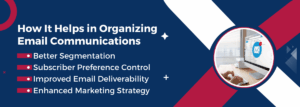
How It helps in Organizing Email Communications
Better Segmentation-
Businesses can assign contacts to different topics, ensuring that each subscriber receives only the most relevant emails.
Subscriber Preference Control-
Contacts can manage their email preferences and opt in or out of specific topics instead of unsubscribing entirely.
Improved Email Deliverability-
By sending emails only to interested recipients, businesses reduce spam complaints and improve email performance metrics.
Enhanced Marketing Strategy-
Marketers can analyze engagement based on different topics and refine their messaging accordingly.
Difference Between Topic-Based Subscriptions and Traditional Email Lists

With manage topics, businesses can move away from the outdated “one-size-fits-all” approach and implement a more strategic, subscriber-friendly email marketing system that enhances customer satisfaction, improves retention, and increases overall engagement.
3. Benefits of Using “Manage Topics” in Zoho Marketing Automation
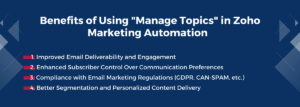
Implementing Manage Topics in Zoho Marketing Automation provides businesses with several key advantages that enhance their email marketing strategy. By allowing subscribers to choose the type of emails they receive, businesses can build stronger customer relationships, increase engagement, and maintain compliance with email marketing regulations.
Improved Email Deliverability and Engagement
One of the biggest challenges in email marketing is ensuring that emails reach the inbox rather than being marked as spam. Manage Topics helps improve email deliverability by ensuring that recipients only receive emails they find relevant.
-
Fewer spam complaints- When users receive emails they want, they are less likely to report them as spam, improving sender reputation.
-
Higher open and click-through rates- Subscribers are more likely to open and interact with emails that match their interests.
-
Reduced bounce rates- Emails sent to engaged users have a higher chance of being successfully delivered.
Enhanced Subscriber Control Over Communication Preferences
Consumers today expect more control over the content they receive. Manage Topics empowers subscribers by giving them the flexibility to select specific topics of interest rather than being forced to accept all emails from a business.
-
More personalized experience- Subscribers can opt into topics that matter to them, such as product updates, promotions, or educational content.
-
Lower unsubscribe rates- Instead of opting out of all emails, users can choose to receive only certain types of content.
-
Stronger customer relationships- When subscribers feel in control, they trust the brand more and remain engaged for a longer time.
Compliance with Email Marketing Regulations (GDPR, CAN-SPAM, etc.)
Email marketing is subject to strict regulations such as GDPR (General Data Protection Regulation) in Europe and CAN-SPAM in the U.S., which require businesses to provide clear consent options and easy unsubscribe mechanisms.
-
Manage Topics aligns with these laws by allowing businesses to collect explicit subscriber consent for different email categories.
-
Users can manage their preferences anytime, ensuring they receive only what they’ve opted in for.
-
Reduces the risk of legal penalties by ensuring that all communications follow transparency and consent guidelines.
Better Segmentation and Personalized Content Delivery
Effective email marketing relies on targeted messaging rather than a one-size-fits-all approach. Manage Topics helps businesses create dynamic segmentation, ensuring that each subscriber receives content that is highly relevant to them.
-
Topic-based segmentation- Businesses can segment audiences based on their selected topics, ensuring that emails reach the right people.
-
Higher engagement- Sending emails based on subscriber interests leads to better responses and conversion rates.
-
More effective automation- Marketers can automate campaigns based on specific topic preferences, delivering more timely and relevant content.
4. How to Set Up and Manage Topics in Zoho Marketing Automation
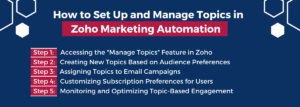
Setting up and managing topics in Zoho Marketing Automation allows businesses to create a structured and user-friendly email marketing system. By organizing email content into topics, businesses can ensure that subscribers receive only the emails they are interested in, improving engagement and reducing unsubscribes. Here’s a step-by-step guide to setting up and managing topics in Zoho Marketing Automation.
Step 1- Accessing the “Manage Topics” Feature in Zoho
To begin using Manage Topics, follow these steps:
-
Log in to Zoho Marketing Automation and navigate to the Email Campaigns section.
-
Click on Manage Topics under the settings menu.
-
Here, you will find an interface where you can view existing topics or create new ones.
This section serves as the control center for all topic-based email communications, allowing you to organize how you send targeted emails.
Step 2- Creating New Topics Based on Audience Preferences
Once inside the Manage Topics section, businesses can create custom topics to categorize their email content. Examples include:
-
Product Updates – Emails about new features, software updates, or releases.
-
Promotions & Discounts – Special deals, exclusive discounts, and sales announcements.
-
Newsletters – Regular updates, industry insights, and company news.
-
Educational Content – Guides, tutorials, and case studies to help users understand products or services.
To create a topic:
-
Click “Add New Topic” in the Manage Topics section.
-
Enter a topic name (e.g., “Weekly Newsletter” or “Exclusive Offers”).
-
Provide a short description explaining what kind of content subscribers will receive under this topic.
-
Save the topic and repeat for additional categories.
By structuring topics based on audience interest, businesses can enhance the overall user experience and relevance of email communications.
Step 3- Assigning Topics to Email Campaigns
After creating topics, the next step is to link them to email campaigns so that subscribers only receive emails relevant to their chosen topics.
Here’s how to assign a topic to a campaign:
-
When creating a new email campaign in Zoho Marketing Automation, look for the “Select Topic” option.
-
Choose the appropriate topic that aligns with the campaign’s content.
-
Subscribers who have opted into that topic will automatically receive the email.
This feature ensures that each email campaign reaches the right audience, leading to higher engagement and fewer unsubscribes.
Step 4- Customizing Subscription Preferences for Users
One of the biggest advantages of Manage Topics is that it gives subscribers control over their email preferences. Instead of opting out of all emails, users can:
-
Choose specific topics they want to subscribe to.
-
Modify their preferences anytime through a self-service preference center.
-
Unsubscribe from a particular topic without removing themselves from the entire email list.
To enable this:
-
Ensure your email footer contains a “Manage Preferences” or “Subscription Settings” link.
-
Direct users to the preference center, where they can update their topic selections.
This enhances user experience, reduces unsubscribe rates, and helps maintain a healthier email list.
Step 5- Monitoring and Optimizing Topic-Based Engagement
Once topics are set up and assigned, it’s essential to track performance and optimize based on subscriber behavior.
Key metrics to monitor include:
-
Open Rates & Click-Through Rates – Are certain topics performing better than others?
-
Unsubscribes per Topic – Are users opting out of specific topics more frequently?
-
Engagement Trends – Are some topics leading to higher conversions and interactions?
Zoho Marketing Automation provides analytics tools that allow businesses to measure the success of each topic and make data-driven improvements. If a topic has low engagement, businesses can refine their messaging or restructure their topics to align with user interests better.
5. Best Practices for Managing Topics Effectively
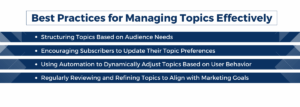
Successfully managing topics in Zoho Marketing Automation requires more than just setting them up. Businesses must continuously optimize their approach to ensure higher engagement, better segmentation, and improved email performance. Here are some best practices for effectively managing topics.
Structuring Topics Based on Audience Needs
One of the most important steps in managing topics is creating categories that align with what your audience wants. Poorly structured topics can lead to disengagement and unsubscribes. Here’s how to ensure your topics resonate with subscribers:
-
Define clear categories such as product updates, newsletters, promotions, event invitations, educational content, and support updates.
-
Keep the topic list concise and relevant—offering too many choices may confuse subscribers.
-
Group similar topics under broader categories to make selection easier.
For example, instead of offering separate topics for “50% Discounts” and “New Product Launch Sales,” combine them into a single “Exclusive Offers & Promotions” topic.
Encouraging Subscribers to Update Their Topic Preferences
Subscriber interests change over time, and failing to update topic preferences can lead to irrelevant emails, disengagement, and higher unsubscribe rates. Businesses should:
-
Include a “Manage Preferences” link in every email footer to allow easy updates.
-
Periodically remind subscribers to review and adjust their preferences through a re-engagement email campaign.
-
Offer incentives like a free resource, exclusive content, or discounts to encourage users to refine their topic selections.
For instance, an e-commerce brand could send an email saying:
“We want to send you emails you actually care about! Update your preferences now and receive a special 10% discount on your next purchase.”
Using Automation to Dynamically Adjust Topics Based on User Behavior
Manually managing topics for a large email list can be time-consuming. Automation helps by dynamically updating topic assignments based on how subscribers engage with content. Best practices include:
-
Automatically assigning topics based on past interactions. For example, if a user frequently clicks on product update emails but ignores promotional content, Zoho can automatically assign them to the “Product Updates” topic.
-
Using behavior-based triggers to adjust preferences. If a subscriber hasn’t engaged with a specific topic for a long time, an automation rule can suggest changing their preferences.
-
Implementing progressive profiling to gather new subscriber interests over time instead of asking for all preferences upfront.
Regularly Reviewing and Refining Topics to Align with Marketing Goals
Email marketing strategies evolve, and so should your topic categories. Businesses should:
-
Analyze engagement metrics such as open rates, click-through rates, and unsubscribe rates for each topic to identify underperforming categories.
-
Merge low-performing topics with relevant ones to keep the list organized and eliminate redundancy.
-
Adjust topic descriptions and email frequency based on customer feedback and analytics.
For example, if a “Webinar Updates” topic has a low engagement rate, it might be more effective to combine it with the “Industry Insights & News” topic to attract a broader audience.
6. Common Challenges and Solutions
Even with a well-structured topic management system, businesses may face challenges in execution, subscriber management, and aligning email topics with broader goals. Here’s how to tackle the most common issues.
Handling Unsubscribes and Re-Subscriptions Efficiently
One of the biggest risks in email marketing is losing subscribers entirely due to a lack of relevant options. Instead of forcing users to unsubscribe from all emails, businesses should:
-
Allow subscribers to opt out of specific topics instead of unsubscribing completely.
-
Offer a “Pause Subscription” option so users can temporarily stop receiving emails instead of leaving permanently.
-
Include a re-subscription option on the website or through an automated follow-up email.
For example, after someone unsubscribes from a topic, they could receive a confirmation email with:
“We’re sorry to see you go! Would you like to stay subscribed to [Topic A] while opting out of [Topic B]? You can also update your preferences anytime.”
Managing Multiple Topics Without Overwhelming Subscribers
Offering too many topic choices can lead to subscriber confusion and decision fatigue. Businesses should:
-
Keep the topic list focused on 5-8 core categories rather than overwhelming users with dozens of options.
-
Use clear and concise descriptions for each topic to help users understand what they’re subscribing to.
-
Group similar topics under broader categories to simplify the selection process.
For example, instead of separate topics for “New Product Launches,” “Feature Updates,” and “Beta Releases,” businesses can combine them under “Product Updates & Announcements.”
Ensuring Topic-Based Emails Align with Broader Marketing Objectives
While topic-based emails improve subscriber experience and engagement, they should still align with overall business and marketing goals. Challenges include:
-
Maintaining consistency in messaging –
Ensure that different topics follow the same branding, tone, and marketing strategy.
-
Avoiding content silos –
A subscriber interested in educational content may still benefit from occasional product promotions. Use cross-topic promotions wisely.
-
Tracking performance against business objectives –
If the company’s goal is to increase product adoption, product-related emails should have higher priority and visibility.
One way to ensure alignment is to set business KPIs for each topic, such as:
-
“Newsletter topic should maintain a 30% open rate and generate at least 5% click-throughs to our blog.”
-
“Product Update emails should lead to a 15% increase in feature adoption per release.”
Regularly reviewing topic performance against these goals ensures that email marketing efforts support broader business success.
Conclusion
Managing topics in Zoho Marketing Automation is a powerful way to enhance email engagement, improve subscriber experience, and ensure regulatory compliance. By allowing users to choose the content they want to receive, businesses can reduce unsubscribes, increase open rates, and build stronger relationships with their audience. However, simply setting up topics isn’t enough—businesses must continuously monitor performance, encourage preference updates, and use automation to refine their strategy.
As a leading marketing automation agency, Alyne helps companies implement best practices and overcome common challenges to create a more personalized, efficient, and goal-driven email marketing system that aligns with their broader business objectives. When done right, topic management becomes a valuable tool for long-term customer engagement and retention.